Introduction
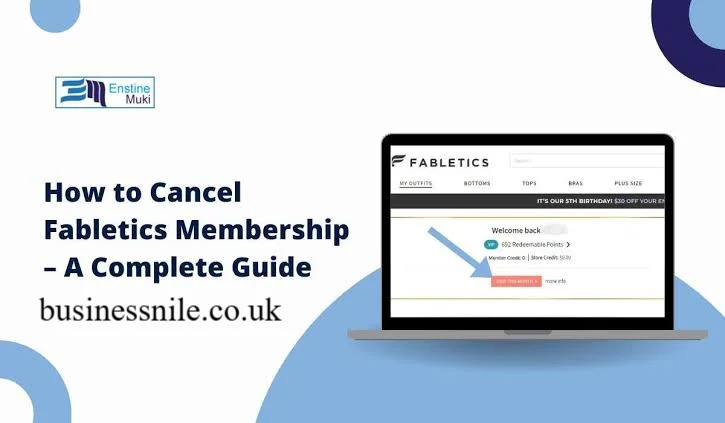
If you have typed “how to cancel Fabletics membership” into Google today, you are probably staring at your bank statement wondering why $59.95 disappeared again. You are not alone. Thousands of shoppers sign up for Fabletics because of that irresistible first order deal, then forget about the monthly VIP charge sitting quietly in the background. Good news though, canceling is simpler than most people expect once you know exactly where to click and who to call.
This guide walks you through every working method to cancel Fabletics membership, what happens to your credits afterward, and how to avoid getting charged again. We also cover common mistakes people make when they try to cancel Fabletics membership on their own. By the end, you will know exactly which cancellation route fits your situation best.
What Is Fabletics VIP Membership Anyway
Fabletics runs on a subscription style shopping model. Every month, unless you skip it, the brand charges your card and gives you store credit instead of a real refund option. This system works great for loyal shoppers but frustrates people who signed up just for a discount and forgot to cancel later.
Understanding this billing structure matters because it explains why so many people search for how to cancel Fabletics membership every single month. The charge date usually falls between the 1st and 5th, so timing your cancellation correctly saves you money.
Method 1: Cancel Fabletics Membership Online Through Your Account
This is the fastest way most members prefer. You control the process from start to finish without waiting on hold.
Here is exactly how to do it:
- Visit fabletics.com and log into your account using your email and password.
- Click your profile icon or your name in the top right corner.
- Select “My Account” or “My VIP” from the dropdown menu.
- Scroll to the VIP Membership section and look for the cancellation link, often written in small text near the bottom.
- Click “Cancel Membership” and follow the on screen prompts.
- Decline any retention offers if you truly want to cancel.
- Save the confirmation email for your records.
One important note here. The Fabletics mobile app currently does not support cancellation. You must use a desktop or mobile web browser instead. Many users get stuck simply because they tried canceling through the app.
Method 2: Cancel Fabletics Membership by Phone
Some people prefer talking to a real human, especially if they suspect billing issues. Calling works well and gives you instant confirmation.
Follow these steps:
- Dial 1 844 322 5384, which connects you to Fabletics customer service.
- Verify your identity using your account email and full name.
- Say clearly, “I want to cancel my VIP membership permanently.”
- Politely decline any offers for a free month or store credit.
- Ask for a confirmation number before ending the call.
This phone line runs 24 hours a day, so you can call whenever it suits your schedule.
Method 3: Cancel Through Live Chat
Live chat gives you a written record instantly, which many people find reassuring.
- Open the chat widget on fabletics.com.
- Type “I want to cancel my VIP membership.”
- A representative will process your request directly.
- Screenshot the entire conversation before closing the window.
I personally find this method the most convenient because you get proof in writing without spending time on hold.
Method 4: Cancel Fabletics Membership via Email
If you want documented evidence and are not in a rush, email works well too. Send your request with your full name, account email, and a clear subject line requesting cancellation. Expect a response within one to two business days.
Method 5: Cancel via Facebook Messenger
Fabletics also accepts cancellation requests through their official Facebook page. Send a message stating your intent to cancel and provide your account details when asked.
Comparison Table: Which Cancellation Method Fits You
| Method | Speed | Written Proof | Best For |
|---|---|---|---|
| Online Account | Instant | Yes, email confirmation | People who want full control |
| Phone Call | Instant | Only if requested | Those wanting human support |
| Live Chat | Fast | Yes, screenshot | People who want quick text proof |
| 1 to 2 days | Yes | Those not in a hurry | |
| Facebook Messenger | Varies | Yes | Casual social media users |
What Happens After You Cancel Fabletics Membership
Once you successfully cancel Fabletics membership, a few things change immediately. You can still shop on fabletics.com but you will pay full retail prices instead of member pricing. Any unused VIP credits typically remain valid for up to twelve months, so you can still use them later.
Loyalty points and certain perks tied to the FIT program usually end once the membership closes. There is no cancellation fee involved, which is genuinely reassuring news for anyone worried about hidden charges.
Common Mistakes People Make When Trying to Cancel
Many shoppers struggle unnecessarily because of small oversights. Here are the most frequent ones I have noticed:
- Trying to cancel through the mobile app, which simply does not offer that option.
- Waiting past the 5th of the month, resulting in another charge.
- Forgetting to save confirmation emails, leading to disputes later.
- Accepting a “pause” offer instead of a real cancellation, thinking it solves the problem.
- Not checking spam folders for the cancellation confirmation email.
Avoiding these mistakes saves you both time and money.
How to Avoid Getting Charged Again
The safest strategy involves marking your calendar for the 1st through the 5th of every month if you plan to skip a charge instead of fully canceling. If you want to permanently stop billing, complete your cancellation before the 5th to avoid that month’s fee entirely.
Why People Search for This So Often
Subscription fatigue is real. Studies on recurring billing services show that a large percentage of subscribers forget they are even enrolled until they check their bank statement. Fabletics is not unique here, but its credit based system makes it slightly more confusing than a typical subscription, which explains why “how to cancel Fabletics membership” remains one of the most searched phrases related to the brand.
Final Thoughts
Canceling Fabletics membership does not have to feel stressful or complicated. Whether you choose the website, a phone call, live chat, email, or Facebook Messenger, you have multiple reliable paths available. The key is acting before your billing date and keeping proof of your cancellation just in case.
Have you tried canceling Fabletics membership recently? Share your experience in the comments below, and feel free to pass this guide along to a friend who might need it too.
Frequently Asked Questions
Is there a fee to cancel Fabletics membership?
No. Fabletics does not charge any cancellation fee. You can cancel your VIP membership anytime without penalty.
Can I cancel Fabletics membership through the app?
No. The Fabletics mobile app does not currently support cancellation. You need to use a desktop or mobile browser instead.
What happens to my unused credits after I cancel?
Your unused VIP credits usually remain valid for up to twelve months after cancellation, so you can still redeem them.
How do I avoid being charged this month?
Log into your account between the 1st and 5th and either skip the month or complete your cancellation before that window closes.
Can I rejoin Fabletics after canceling?
Yes. You can create a new membership or reactivate your account anytime through the website.
Does canceling affect my ability to shop on the website?
No. You can still shop on fabletics.com, though you will pay standard retail prices instead of member pricing.
What is the Fabletics customer service number?
You can reach Fabletics support at 1 844 322 5384, available 24 hours a day.
How long does email cancellation take?
Email requests typically take one to two business days to process.
Author Name: Hamid Ali
Email: johanharwen314@gmail.com
About the Author: Hamid Ali is a consumer rights and subscription services writer who specializes in helping readers navigate tricky billing systems and membership programs. He enjoys breaking down complicated cancellation processes into simple, actionable steps that save people time and money.
Also Read