Introduction
You are working a full-time job, paying off student loans, and still somehow trying to build a life that feels financially free. Sound familiar?
Millions of millennials are in exactly that position. And many of them are turning to the millennial digital planner side hustle as a creative, low-cost way to earn extra income without trading more hours for dollars.
Digital planners are downloadable productivity tools. People use them on tablets, phones, and computers to organize their lives. And here is what makes this side hustle so appealing: you create the product once and sell it repeatedly, completely on autopilot.
In this article, you will discover everything you need to know about building a millennial digital planner side hustle from scratch. You will learn what digital planners are, how much you can realistically earn, which platforms to sell on, how to design your first planner, and how to market it without a massive following.
Whether you are completely new to this or already exploring the idea, this guide gives you a clear, honest, and actionable roadmap.
What Is a Digital Planner and Why Do Millennials Love It?
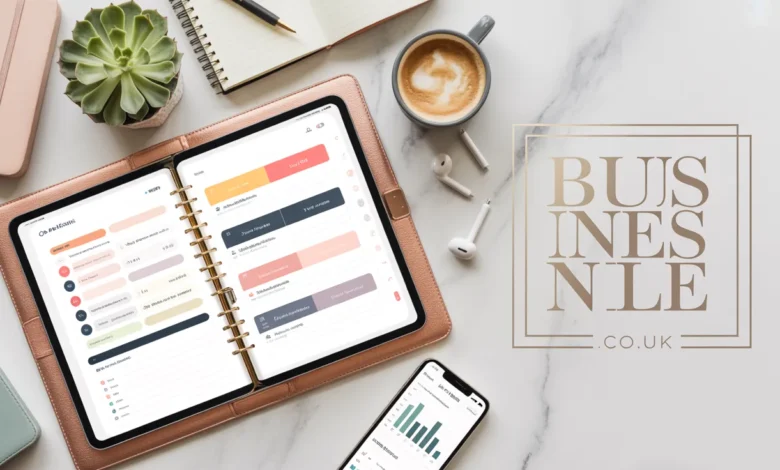
A digital planner is an electronic version of a paper planner. It is typically created as a PDF file with interactive links that allow users to navigate between pages using a stylus or touchscreen.
Popular apps like GoodNotes, Notability, and Noteshelf make digital planners functional and enjoyable to use. Users can write directly on the pages, add stickers, set up habit trackers, and keep all their planning in one digital space.
Millennials, in particular, gravitate toward digital planners for several reasons. They are environmentally friendly. They are always accessible on a device. They are customizable. And they remove the need to carry a physical notebook everywhere.

Why Digital Planners Are a Smart Product to Sell
Digital planners sit in a sweet spot for side hustlers. They cost almost nothing to produce. Once designed, they require zero inventory, no shipping, and no physical storage. Every sale is nearly pure profit.
According to Etsy market research, digital downloads consistently rank among the top-selling product categories on the platform. Planners, journals, and productivity tools drive a significant portion of those sales year after year.
The global productivity app and tools market is also growing rapidly. People are more invested in personal organization, wellness planning, and goal setting than ever before. The demand is real and it continues to grow.
How Much Can You Earn from a Millennial Digital Planner Side Hustle?
This is the question most people want answered first. And the honest answer is: it varies widely.
Some sellers make a few hundred dollars per month as a casual passive income stream. Others scale into full-time businesses earning $5,000 to $20,000 per month or more.
I have seen Etsy shop owners share publicly that their digital planner shops crossed $10,000 per month within 18 months of launching. These are not outliers. They are consistent creators who treated their millennial digital planner side hustle like a real business from day one.
Realistic Earnings Breakdown
Here is a general picture of what different effort levels tend to produce:
- Beginner (1 to 5 products, minimal marketing): $100 to $500 per month
- Intermediate (10 to 30 products, active SEO and social): $500 to $3,000 per month
- Advanced (50 or more products, email list, multiple platforms): $3,000 to $15,000 per month
Your pricing also matters. Most digital planners sell for between $5 and $35 depending on complexity, niche, and brand positioning. Premium bundles can sell for $50 to $100 or more.
The key insight here is that volume and variety matter. The more planners you create for different niches and use cases, the more entry points you give buyers to discover your shop.
Step by Step: How to Start Your Digital Planner Side Hustle
Starting a millennial digital planner side hustle does not require design school or expensive software. Here is a straightforward path to your first sale.
Step 1: Choose Your Niche
Selling a generic planner in a crowded market is harder than selling a highly specific planner to a targeted audience. Niching down helps you stand out and attract loyal buyers.
Popular and profitable digital planner niches include:
- Budget and finance planners for millennials
- Wellness and self-care planners
- Student and academic planners
- Business and entrepreneur planners
- Meal planning and nutrition trackers
- Pregnancy and parenting planners
- Fitness and workout trackers
- Social media content planners
Think about your own life. What do you plan, track, or organize regularly? Starting with a niche you understand personally makes the design process much faster and more authentic.
Step 2: Choose Your Design Tool
You do not need Adobe InDesign or professional design experience to create a digital planner. Several beginner-friendly tools make the process accessible.
The most popular options are:
Canva: Free and premium tiers. Easy drag-and-drop interface. Great for beginners. Exports to PDF.
PowerPoint or Keynote: Surprisingly powerful for planner creation. Many top sellers use these tools exclusively.
Adobe InDesign: More of a learning curve but offers the most professional-grade control over layout and design.
GoodNotes templates: Some creators design directly within GoodNotes for a native feel on Apple devices.
I recommend starting with Canva if you are brand new. It lowers the barrier significantly and lets you launch your first product quickly. You can always upgrade your tools as your skills and revenue grow.
Step 3: Design Your First Digital Planner
Your first planner does not need to be perfect. It needs to be useful and visually clean.
Focus on these essential elements:
- A clear, attractive cover page
- Monthly calendar view
- Weekly spread with enough writing space
- Daily planning page with time blocks or priority lists
- A goal setting or habit tracker section
- Consistent color scheme and font pairing
Keep your design clean and uncluttered. Buyers want a planner they can actually use without feeling overwhelmed. Simple designs with a strong color identity tend to outsell overly complex ones.
Make sure your PDF is hyperlinked so users can tap tabs and navigate between sections. This is the feature that separates a basic PDF from a true interactive digital planner.
Step 4: Set Up Your Hyperlinks
Hyperlinks are what make a digital planner functional inside apps like GoodNotes and Notability. Without them, your planner is just a static PDF.
You can add hyperlinks in Canva using the link feature on any element. In PowerPoint, you use the hyperlink action setting. Every tab, button, and navigation element should link to the correct page within the document.
Test your links thoroughly before publishing. Broken links are the number one complaint in negative reviews for digital planners.
Step 5: Choose Where to Sell
Your millennial digital planner side hustle needs a home. You have several excellent platform options.
Etsy: The most popular marketplace for digital downloads. Built-in traffic. Easy setup. Etsy charges a $0.20 listing fee plus a small transaction percentage.
Gumroad: Simple and seller-friendly. Great for building a direct relationship with customers. No monthly fees for basic accounts.
Payhip: Similar to Gumroad with strong digital product support and no upfront costs.
Your own website: Using Shopify or a WordPress site with WooCommerce gives you full control and no marketplace fees. This works best once you have traffic from other sources.
Most new sellers start on Etsy because of the built-in audience. As your brand grows, branching out to your own website and Gumroad adds revenue diversification.
How to Market Your Digital Planner Side Hustle Without a Big Following
Marketing is where many new sellers get stuck. They create a beautiful planner and then wonder why no one buys it.
The truth is that visibility drives sales. Here is how to build that visibility without needing thousands of followers on day one.
Optimize Your Etsy Listings for Search
Etsy functions as a search engine. Buyers type in what they are looking for and Etsy shows relevant listings. Your job is to make sure your listings appear for the right searches.
Use relevant keywords in your title, tags, and description. Think about what your ideal buyer would type into the search bar. Tools like Marmalead and EtsyRank help you find high-traffic, low-competition keywords to target.
Write your listing descriptions as if you are talking to the buyer directly. Explain what the planner includes, how it works, and why it will solve their specific problem.
Use Pinterest to Drive Free Traffic
Pinterest is a visual search engine, not a traditional social media platform. Pins have a long lifespan and can drive traffic to your shop for months or years after you post them.
Create multiple pins for each planner design. Show mockups of the planner on a tablet screen, a flat lay desktop setup, and close-up details of specific pages. Pin consistently, ideally daily, and use keyword-rich pin descriptions.
Many digital planner sellers report that Pinterest is their number one traffic source outside of Etsy’s internal search.
Build an Instagram or TikTok Presence
Short-form video content works exceptionally well for digital planner sellers. A 30-second TikTok showing your planner in action, with an aesthetically pleasing setup, can go viral and drive hundreds of sales overnight.
You do not need professional equipment. A phone, good lighting, and a genuine enthusiasm for your product are enough to start building an audience.
Start an Email List Early
An email list is your most valuable long-term marketing asset. Platforms come and go. Algorithms change. But your email list is yours.
Offer a free mini planner or printable as an incentive for people to subscribe. Then send regular emails sharing planner tips, new product launches, and exclusive discounts. Buyers who trust you will purchase again and again.

Common Mistakes to Avoid in Your Digital Planner Side Hustle
Learning from others’ mistakes saves you time and money. Here are the most common pitfalls new sellers fall into.
Creating Too Many Products Too Fast
It is tempting to launch dozens of planners immediately. But spreading yourself too thin results in low-quality products and scattered marketing. Focus on creating one excellent planner, marketing it well, and using that feedback to improve before expanding.
Ignoring Customer Reviews
Reviews drive sales on Etsy. Respond to every review, including negative ones, professionally and helpfully. Reach out to buyers after purchase and invite them to share their experience.
Underpricing Your Work
Many new sellers price their planners too low, thinking it will attract more buyers. But very low prices can signal low quality. Price your work fairly based on its value and what the market supports, not just on what feels comfortable.
Skipping the Mockup Stage
Mockup images show buyers what the planner looks like in real use. A plain PDF screenshot does not create desire. Use Canva or free mockup sites to create realistic tablet and lifestyle images for your listings.
Scaling Your Millennial Digital Planner Side Hustle Into a Real Business
Once you start generating consistent sales, you can begin scaling your millennial digital planner side hustle into something more significant.
Here are proven scaling strategies:
- Create seasonal editions of your best-selling planners (back to school, New Year, summer)
- Bundle multiple planners together at a discounted price to increase average order value
- Launch a membership or subscription with monthly planner updates
- Collaborate with other digital product creators for cross-promotions
- License your designs to companies or bloggers in your niche
- Create YouTube tutorials or a course teaching others how to use digital planners
Many successful sellers eventually transition their side hustle into a full-time creative business. The passive income model of digital products makes this scalability possible without proportionally increasing your work hours.
Tools and Resources Every Digital Planner Seller Needs
Here is a quick reference list of tools that make the millennial digital planner side hustle more manageable and profitable:
Design: Canva, Adobe InDesign, PowerPoint, Keynote
Mockups: Smartmockups, Anthony Boyd Graphics, Canva mockup feature
SEO Research: Marmalead, EtsyRank, Pinterest Trends, Google Keyword Planner
Email Marketing: Mailchimp, ConvertKit, Flodesk
Selling Platforms: Etsy, Gumroad, Payhip, Shopify
Analytics: Etsy Stats, Google Analytics, Pinterest Analytics
Investing in even a few of these tools early in your journey puts you ahead of sellers who rely on guesswork.
Conclusion: Is the Millennial Digital Planner Side Hustle Worth It?
The millennial digital planner side hustle is one of the most accessible, low-risk, and genuinely scalable ways to earn extra income in the digital economy today.
You create the product once. You sell it infinitely. You earn while you sleep, travel, or focus on your day job. And unlike many side hustles, this one rewards creativity, organization, and an understanding of what your audience actually needs.
The main takeaways from this guide are clear. Start with a specific niche. Use beginner-friendly design tools. Build hyperlinked interactive planners. Sell on Etsy first. Market through Pinterest and short-form video. Treat your shop like a real business from day one.
The question is not whether the millennial digital planner side hustle works. Thousands of people prove every month that it absolutely does. The real question is whether you are ready to start.
What kind of planner would you create first? Drop your idea in the comments or share this article with a friend who has been looking for a creative side hustle to launch this year.

Frequently Asked Questions
Q1: What is a digital planner and how is it different from a printable? A digital planner is an interactive PDF designed for use on tablets and smartphones using apps like GoodNotes. A printable is a static PDF meant to be printed on paper. Digital planners have hyperlinked navigation and are used entirely on-screen.
Q2: How much does it cost to start a digital planner side hustle? You can start for very little. Canva has a free tier. Etsy charges $0.20 per listing. You can launch your first planner for under $10 in total startup costs, making this one of the most accessible side hustles available.
Q3: Do I need design experience to create digital planners? No. Tools like Canva make planner design accessible for beginners. Many top-selling planners are created by people with no formal design background. Clear layouts and attractive color schemes matter more than technical design skills.
Q4: Which app do buyers use to open digital planners? The most popular apps are GoodNotes 5 and GoodNotes 6 for iPad, Notability for Apple devices, and Noteshelf for Android tablets. Some buyers also use Xodo or Adobe Acrobat on Windows devices.
Q5: How long does it take to make your first sale on Etsy? This varies widely. Some sellers make their first sale within days if their SEO is strong. Others take a few weeks. Consistent listing optimization, quality mockup images, and active marketing on Pinterest significantly speed up the process.
Q6: Can you sell digital planners on platforms other than Etsy? Absolutely. Gumroad, Payhip, and your own website are all strong alternatives. Many successful sellers use multiple platforms simultaneously to maximize reach and reduce dependence on any single marketplace.
Q7: How do you add hyperlinks to a digital planner? In Canva, use the link feature to attach a page URL to any element. In PowerPoint, use the Insert Hyperlink option. In InDesign, use the Hyperlinks panel. Every navigation tab and button in your planner should link to its corresponding page.
Q8: Is the digital planner market too saturated? The market is competitive but far from saturated. Niche-specific planners for targeted audiences consistently find buyers. Generic planners face more competition, but planners designed for specific communities, professions, or life stages continue to sell well.
Q9: How often should you add new products to your digital planner shop? Aim to add at least one new product per month when starting out. Consistent new listings signal activity to Etsy’s algorithm and give returning customers reasons to come back. Quality always matters more than quantity.
Q10: Can a digital planner side hustle become a full-time income? Yes. Many millennial digital planner side hustle creators have successfully transitioned to full-time income through a combination of Etsy sales, their own websites, email marketing, and digital product bundles. It requires consistency and a business mindset but it is absolutely achievable.
Also Read In BusinessNile.co.uk
Email: johanharwen314@gmail.com
Author Name: Hamid Ali
About the Author: Hamid Ali is a personal finance and digital entrepreneurship writer who specializes in helping millennials build meaningful income streams outside of their traditional careers. With over a decade of experience covering side hustles, passive income strategies, and the creator economy, Hamid brings a practical and encouraging voice to every topic he tackles. He has contributed to several leading finance and lifestyle platforms and is passionate about making financial independence feel achievable for everyday people. When he is not writing, Johan enjoys experimenting with new digital tools and helping first-time entrepreneurs find their footing.